How to Raise a Ticket to AWS Support for FM Issues
How to Raise a Ticket to AWS Support for FM Issues
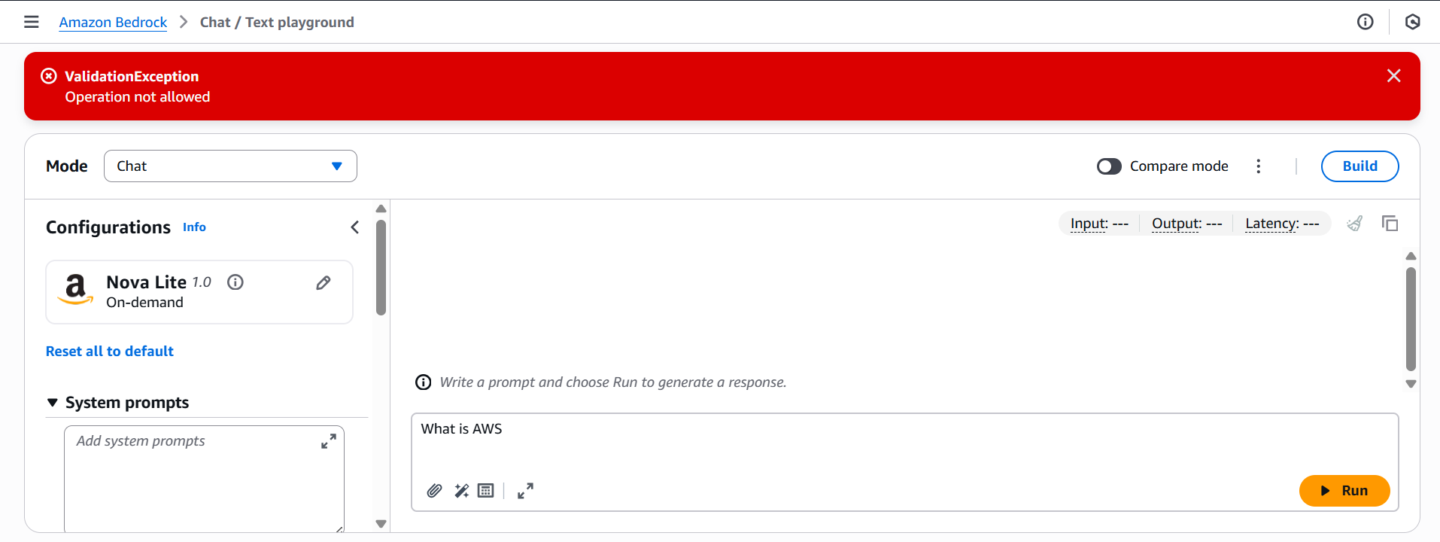
Issue/Error : ValidationException: Operation not allowed
Service : Amazon Bedrock Chat/Text Playground.
Description : The operation to run a specific task in Amazon Bedrock Chat/Text Playground fails with the error
ValidationException: Operation not allowed. Despite following the steps and trying both root access and an IAM user with admin access , the issue persists, and the operation is restricted in the account.
Cause of the Issue:
Account Restrictions : This issue is likely due to account-level restrictions in the New AWS Account , as indicated by the error message.
Limitations : Since the account is a New account, some advanced features of Amazon Bedrock may be restricted for new users.
Fix and Request from AWS Support:
- Fix : The issue appears to be related to service restrictions tied to account limits , especially since it's happening on a New account.
To raise a ticket to AWS Support for issues (i.e., ValidationException: Operation not allowed in the Amazon Bedrock Chat Playground), follow these steps:
1. Sign In to AWS Management Console
Go to the AWS Management Console.
Log in with your AWS credentials.
2. Go to AWS Support
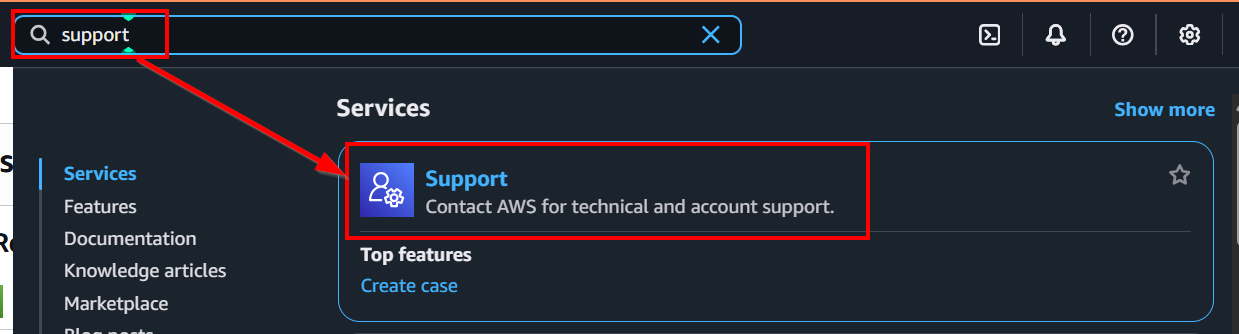
In the AWS Management Console , Search "Support".
Then, click on "Support".
3. Create a New Support Case
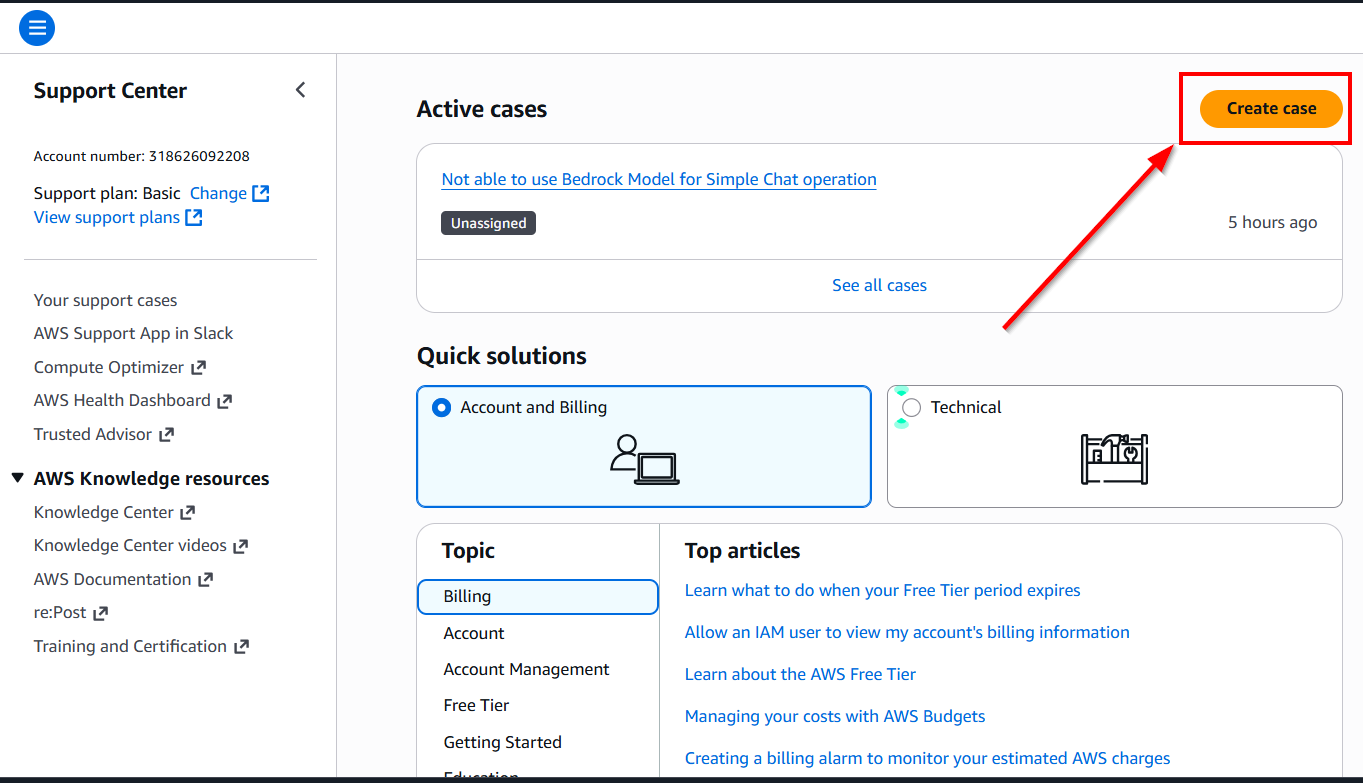
On the Support Center page, click "Create case".
You’ll be given options for "Account and Billing Support".
- For your issue, choose "Account and Billing Support". (Technical - We don't have access under the Free tier)
4. Fill Out the Support Case Details
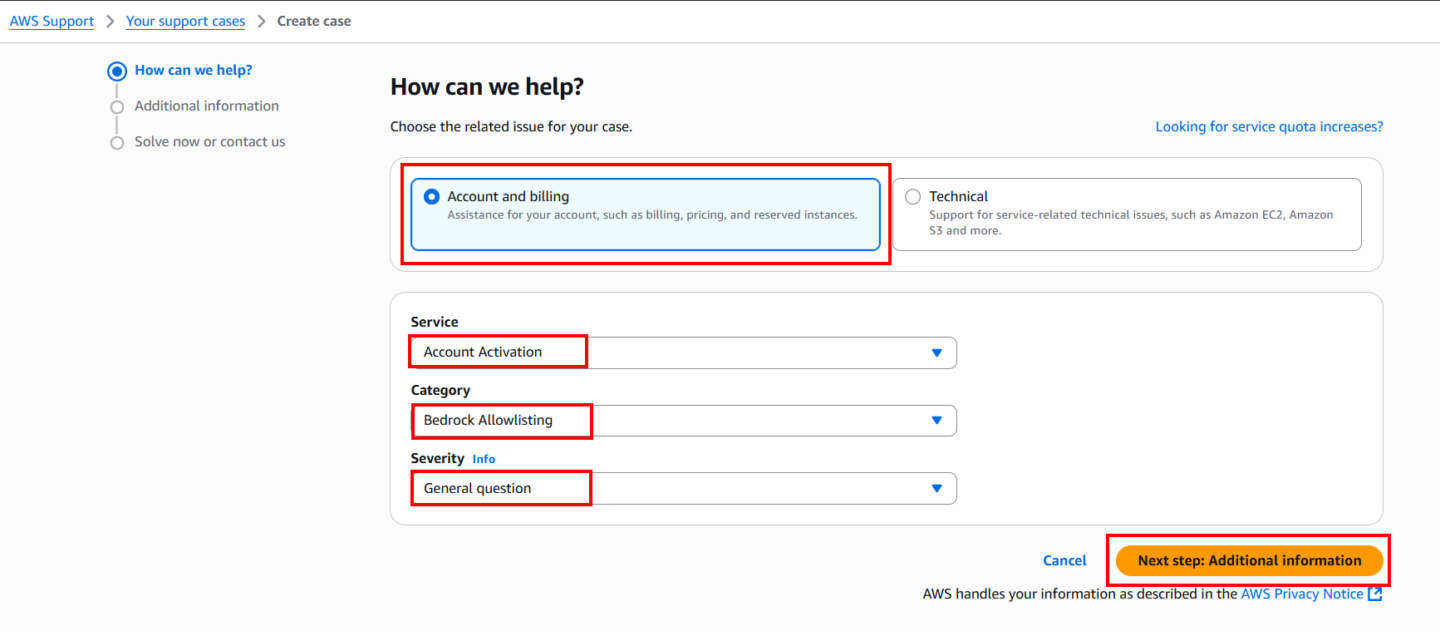
Issue type : Select “Account and Billing" , depending on the nature of your problem.
Category : Select the category related to your issue ("Bedrock Allowlist").
Subject : Enter a concise summary, like "Unable to run operation in Amazon Bedrock Chat Playground: ValidationException."
Description : Provide a detailed description of the issue, including the error message, what you were trying to do, and any relevant steps you’ve already taken to troubleshoot the problem.
- You can mention the ValidationException error, and that you’re unable to proceed with generating responses in the Chat Playground due to restrictions.
Dear AWS Support Team,
I hope this message finds you well.
I am currently working with a new AWS account and encountering an issue when trying to run a specific operation in the Amazon Bedrock Chat/Text Playground. The operation fails with the following error message:
ValidationException: Operation not allowed
I have followed the official AWS documentation for setting up and nurturing a new account, and this step is part of the process provided by AWS. Despite this, I am unable to proceed with the operation, as it seems restricted in my account.
I have tried performing the operation using both the root account and an IAM user with admin access, but the issue persists. I would appreciate your guidance on how to resolve this issue.
Could you please assist in resolving this issue or guide me on how I can enable this operation for my account?
Thank you in advance for your assistance. I look forward to your prompt response.
Best regards,
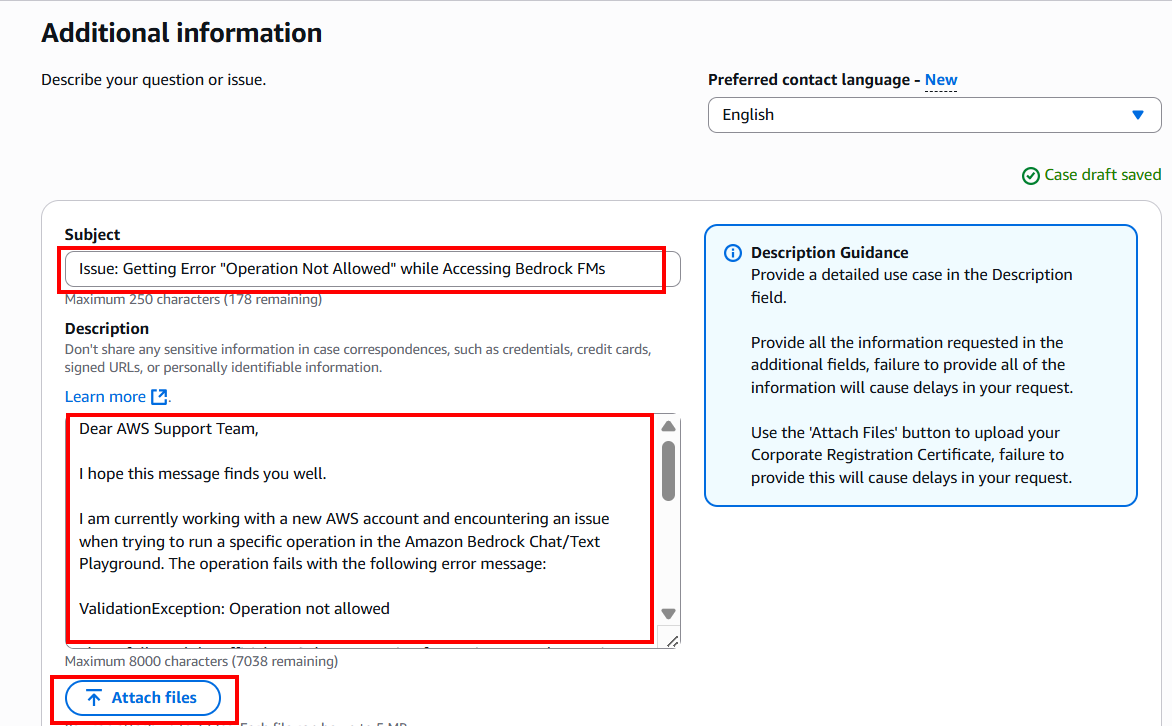
5. Attach Screenshots
If you have screenshots (like the one you uploaded), attach them to give AWS Support a clearer view of the error.
Use the "Attach a file" button to upload relevant documents or images (e.g., the screenshot showing the error).
Now, as we are using our free tier account for learning, "I am using this account for learning."
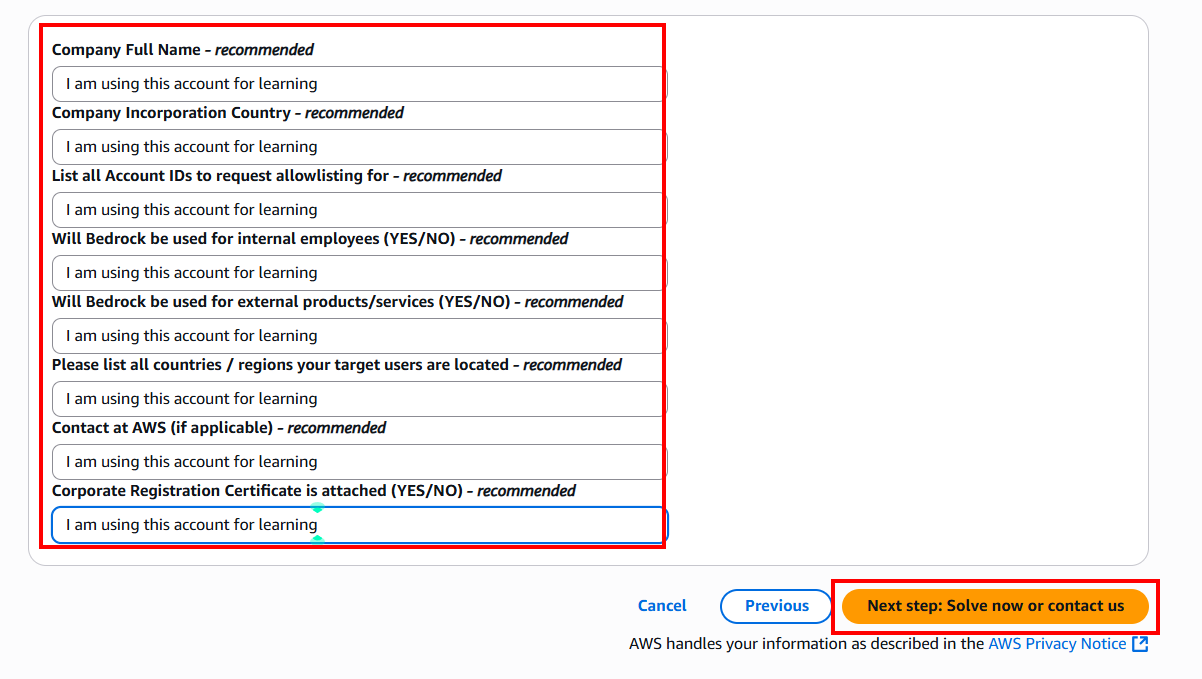
6. Submit the Case
- Once all the details are filled out, it will give you some recommendations you can try them out.
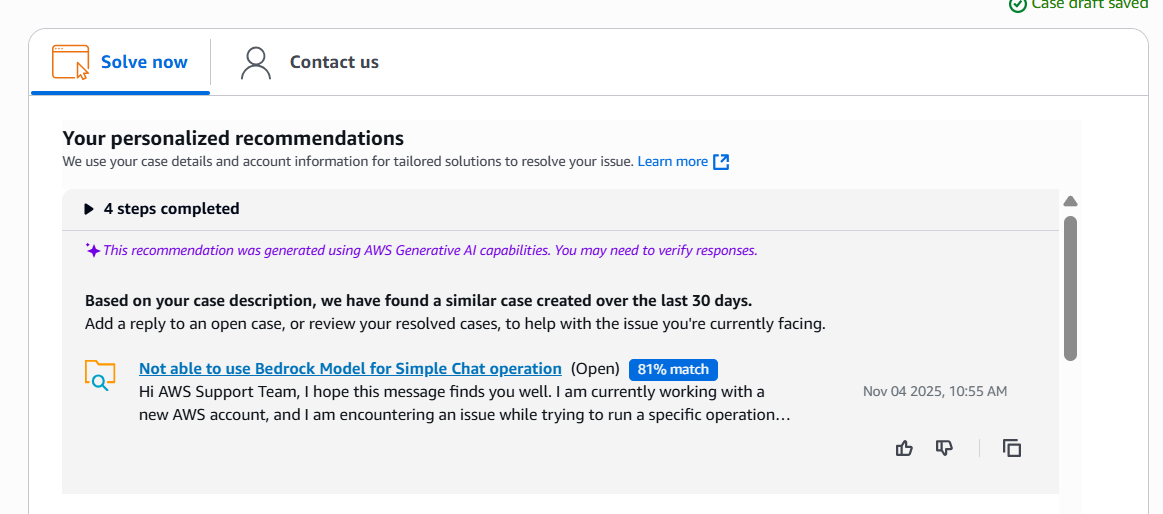
- Go to contact us. Click on "Submit" to create the support case.
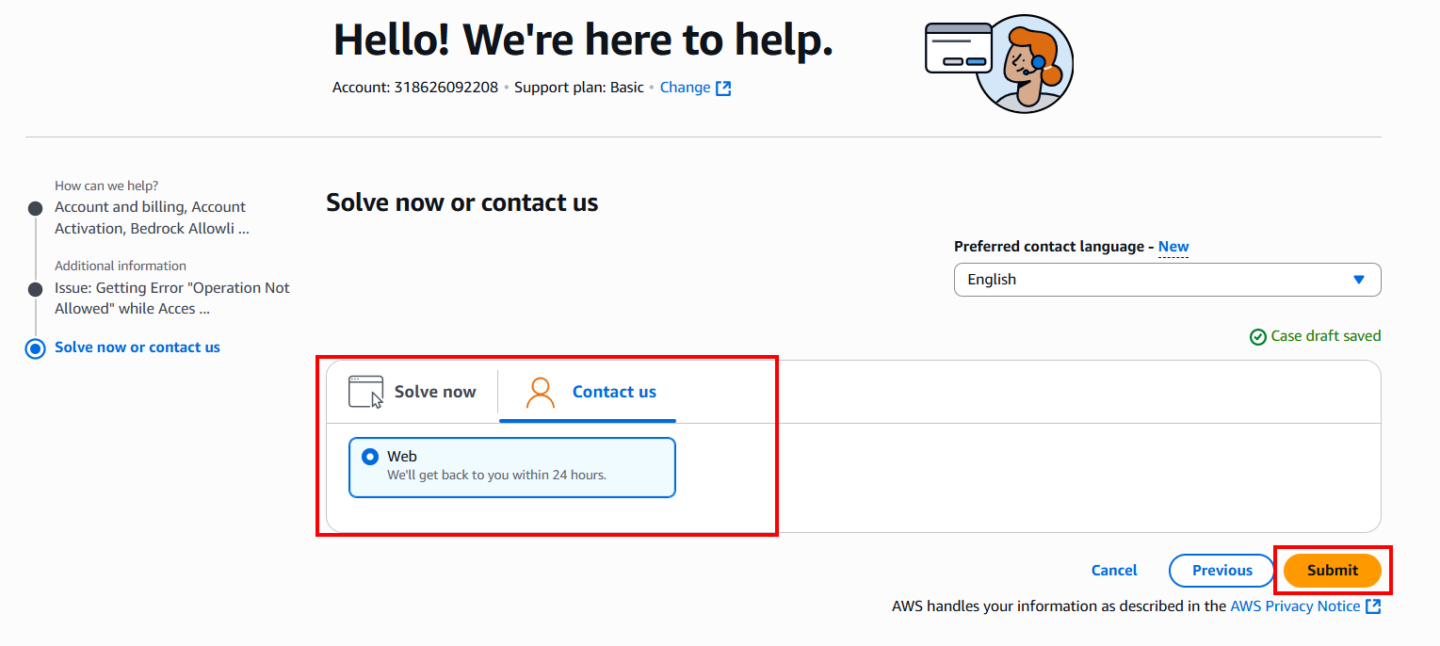
8. Wait for AWS Support Response
- AWS Support will review your case and get back to you with a response, which may involve troubleshooting steps or more information regarding the service issue.