Lab 10 : Create API Keys for LangSmith & Langfuse
Lab 10 : Create API Keys for LangSmith & Langfuse
1. API Keys for LangSmith
Introduction
In this guide, we'll walk you through creating and using a LangSmith API Key , which enables you to monitor, debug, trace, and evaluate your LLM applications and AI agents.
LangSmith helps developers understand how their AI applications perform by providing detailed insights into prompts, responses, agent execution flows, and evaluation metrics.
What is LangSmith?
LangSmith is an observability and evaluation platform developed by LangChain. It helps developers:
Trace LLM and agent executions
Debug prompt and workflow issues
Monitor application performance
Evaluate AI outputs
Improve reliability and accuracy of AI systems
Why Use LangSmith?
AI Observability
Track every step of your agent's execution process.
Debugging
Identify issues in prompts, chains, tools, and agent workflows.
Performance Monitoring
Analyze latency, token usage, and overall application behavior.
Evaluation
Compare outputs and measure the quality of your AI applications.
Note: We will use this api key in our Labs.
Steps to Create a LangSmith API Key :
- Open your web browser and go to the LangSmith website
** Click here** to access LangSmith
- log in using your Google account by clickingGoogle.
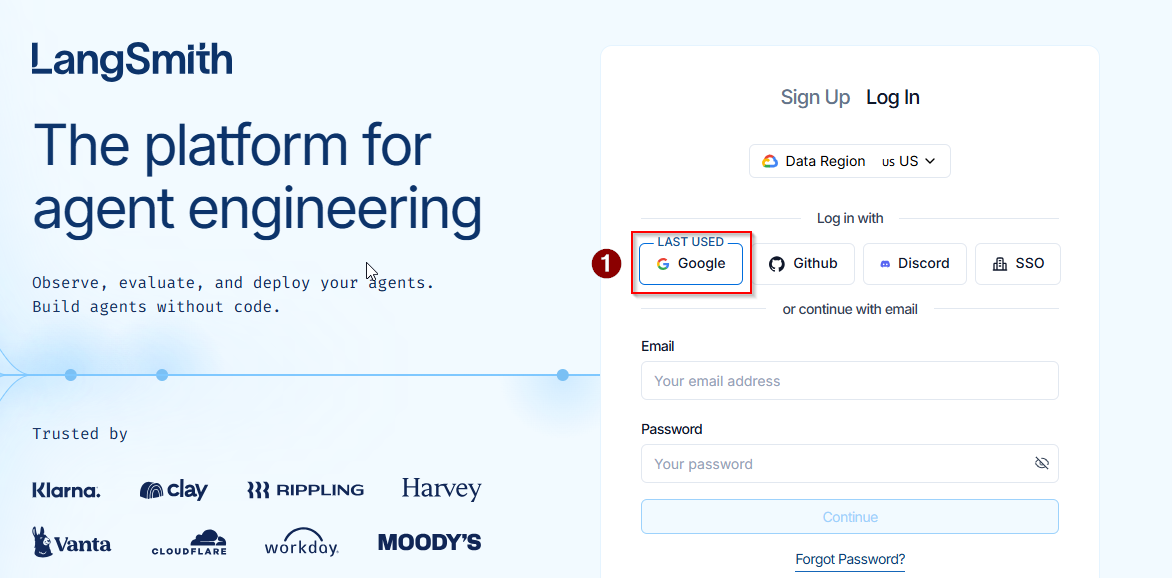
Once logged in, you will be directed to the Overview page.
On the left sidebar, select Tracing
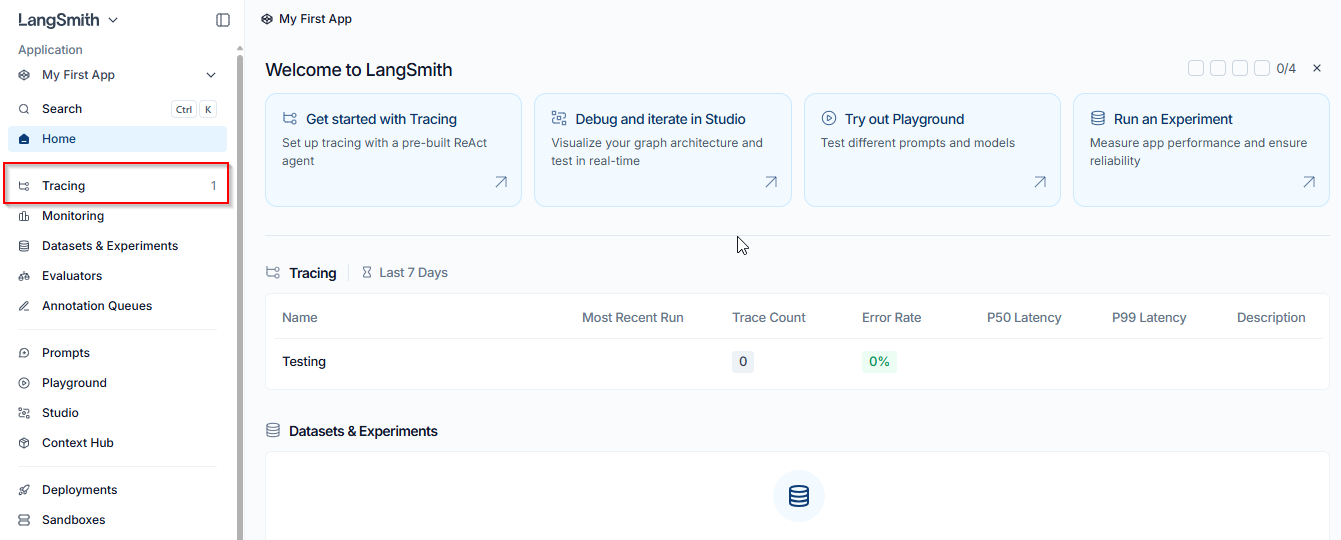
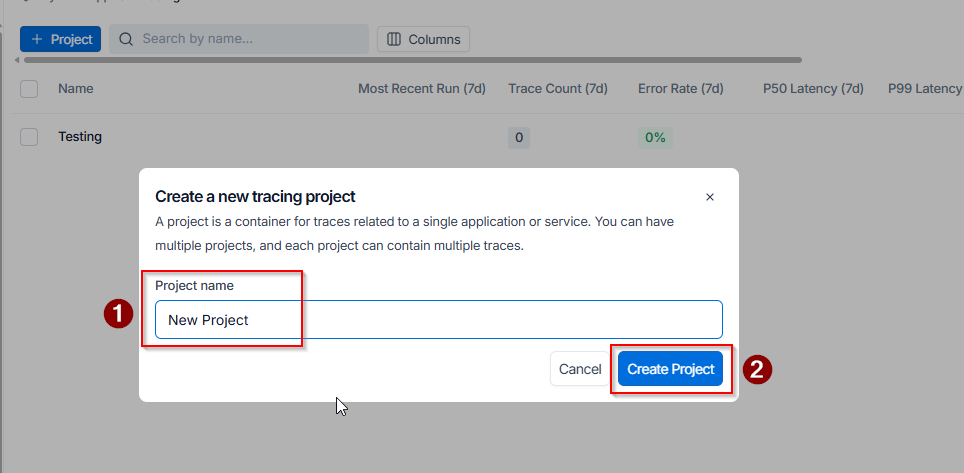
- In the Tracing section, click the Project icon.

- Create a new tracing project by entering aproject name , then click Create Project.
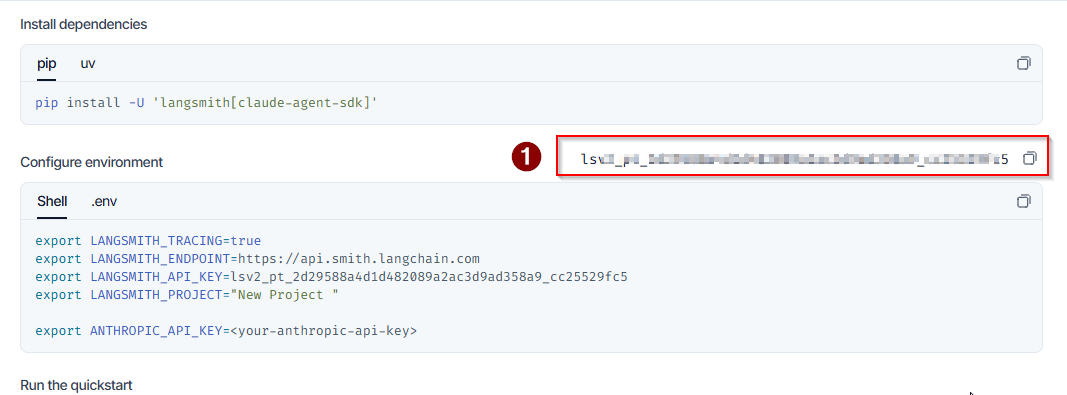
- Click the Generate API Key button.
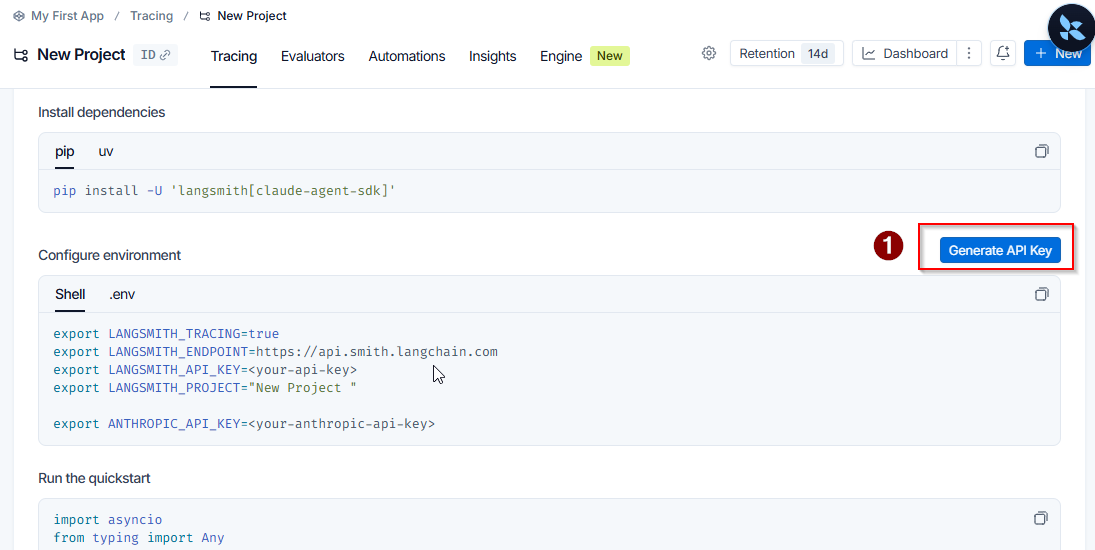
- Copy the API key by clicking the copy icon next to it.
Conclusion:
You have successfully created your LangSmith API Key! You can now use it to enable tracing, monitoring, debugging, and evaluation capabilities in your AI applications and agent workflows. The API key is available for immediate use, and you can generate additional keys from the API Keys section whenever needed for different environments such as development, testing, or production.
Note : Please store this API key in Google Colab Secrets using the variable name LANGSMITH_API_KEY , as we will be using this API key in our upcoming labs.
2. API Keys for Langfuse
Introduction
In this guide, we'll walk you through creating and using Langfuse API Keys , which allow you to monitor, trace, evaluate, and analyze the performance of your AI applications and agents.
Langfuse provides end-to-end observability for LLM applications, helping developers understand how prompts, models, and workflows perform in production.
What is Langfuse?
Langfuse is an open-source LLM engineering platform that provides:
 * Tracing and observability

 * Prompt management

 * Evaluations and scoring

 * Cost and token tracking

 * Analytics for AI applications
Why Use Langfuse?
End-to-End Monitoring
Track the complete lifecycle of AI requests and responses.
Prompt Management
Version and manage prompts effectively.
Performance Analytics
Monitor token usage, costs, latency, and quality metrics.
Evaluation
Measure and improve AI application performance using custom evaluations.
Steps to Create a Langfuse API Key :
1. Open your web browser and go to the **Langfuse website**** Click here** to access Langfuse
2. Click the **_Start Free_** button on the home screen.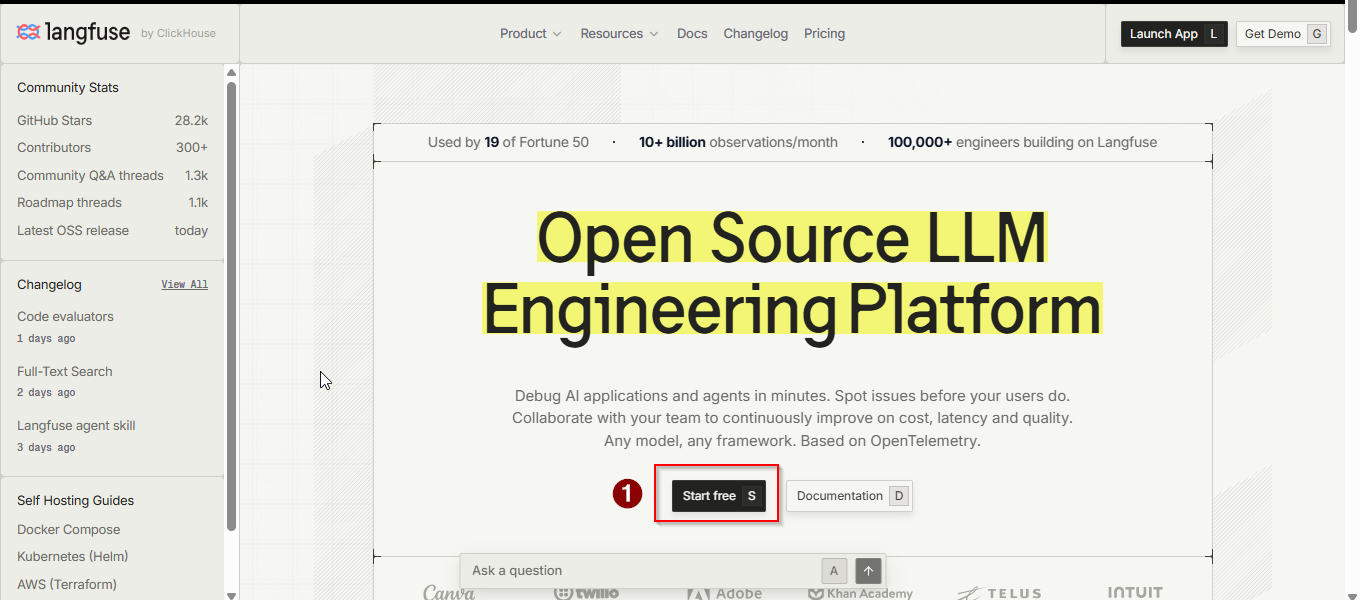
3. Select the **US** cloud region to continue.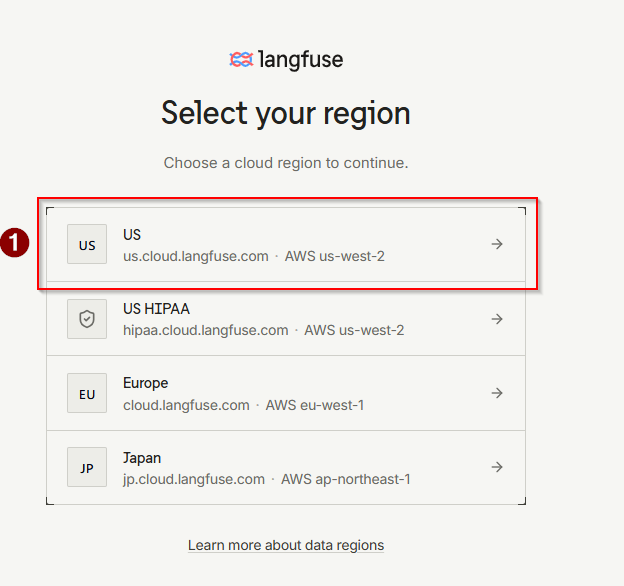
4. log in using your Google account by clicking**Google**.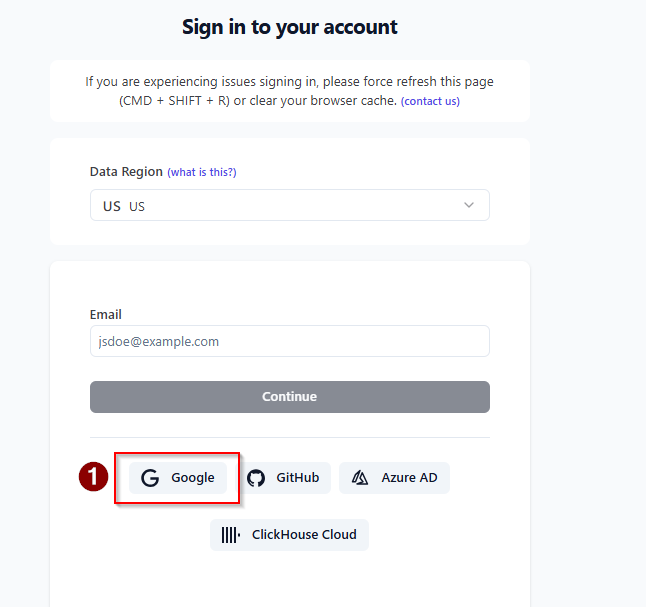
5. Click **_New Organization_ **in the top-right corner.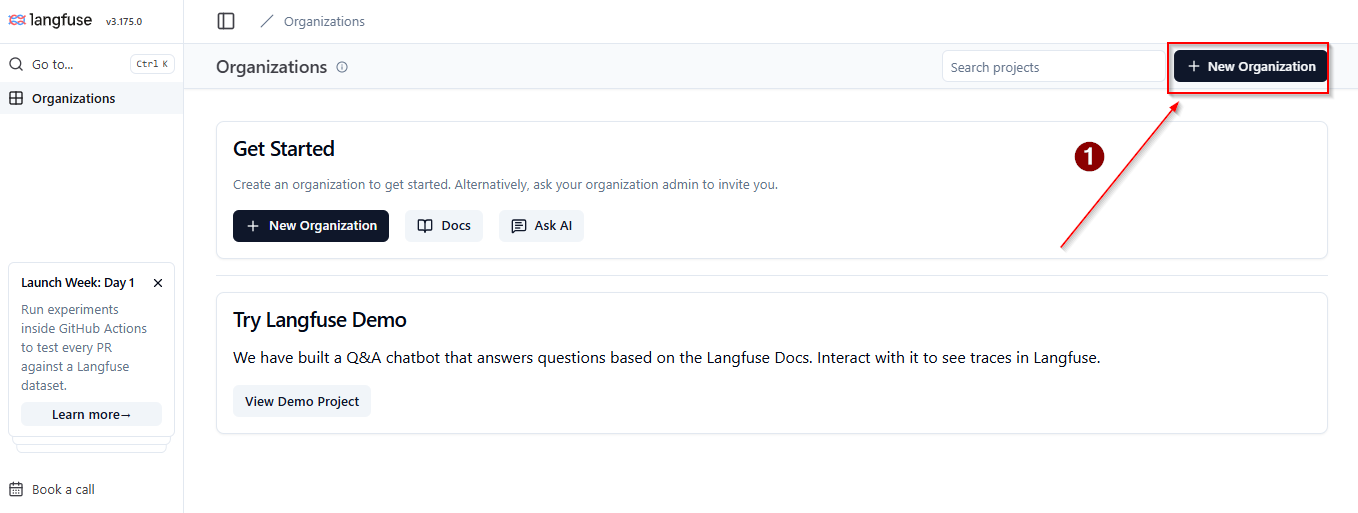
6. Enter your **organization name** and click **_Create_**.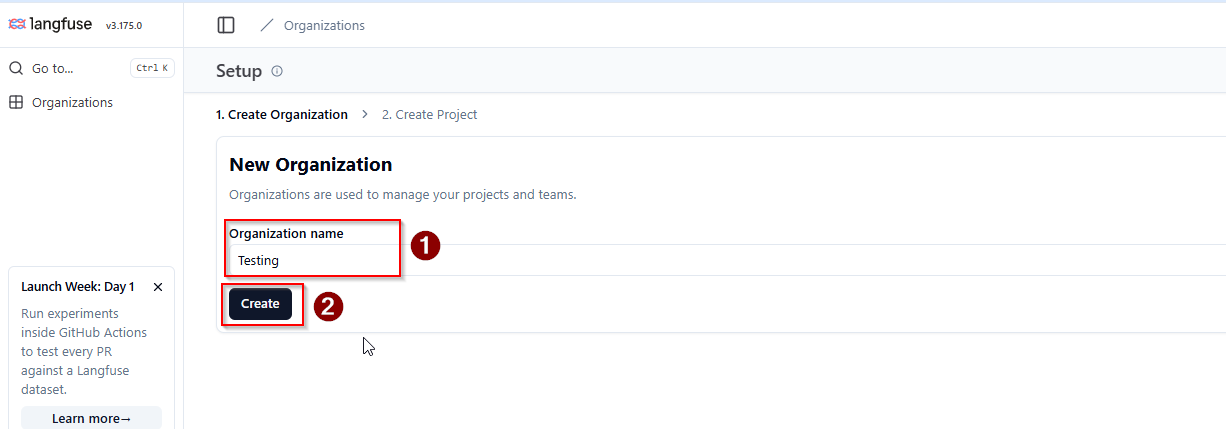
7. Then, enter your **Project name** and click the **_Create_ **button.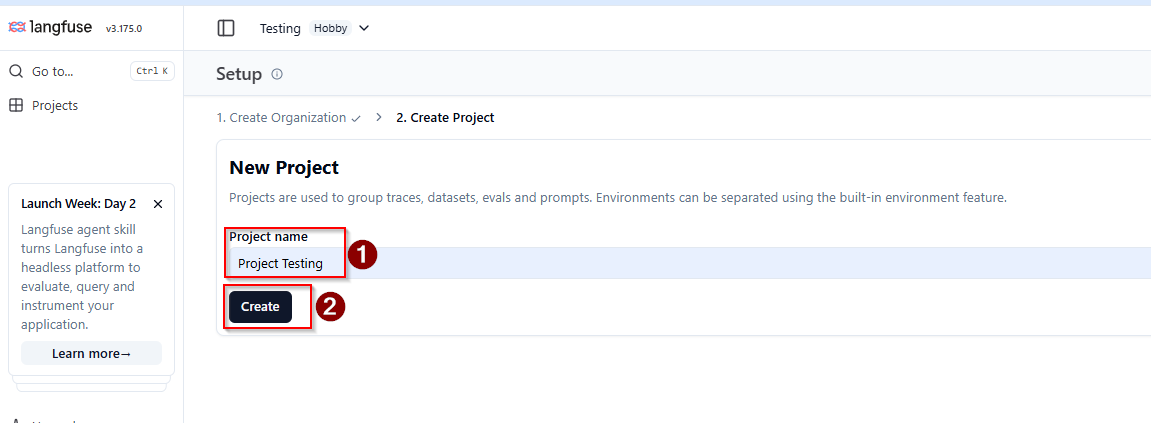
8. Click the **_Create New API Key_** button.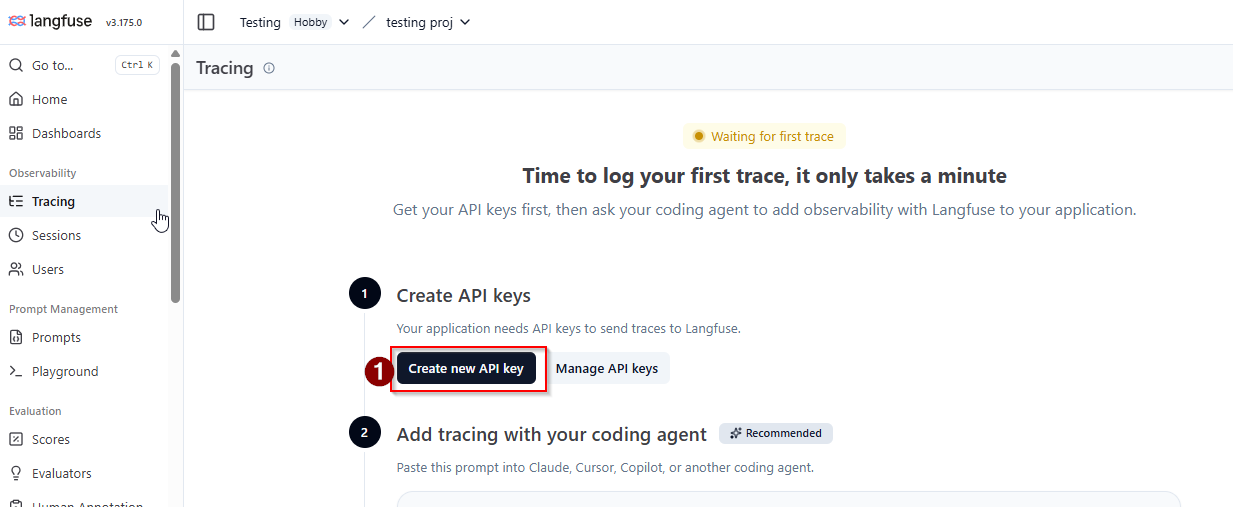
9. Now, copy your **Secret Key** and**Public Key** by clicking the **copy icon** next to each key.
Conclusion:
You have successfully created your Langfuse API Keys! You can now use them to enable tracing, monitoring, analytics, and evaluation capabilities in your AI applications and agent workflows. The keys are available for immediate use, and you can generate additional API keys from the API Keys section whenever needed for different environments such as development, testing, or production.
Note : Please store these API keys in Google Colab Secrets using the variable names LANGFUSE_PUBLIC_KEY and LANGFUSE_SECRET_KEY , as we will be using these keys with the same variable names in our upcoming labs.